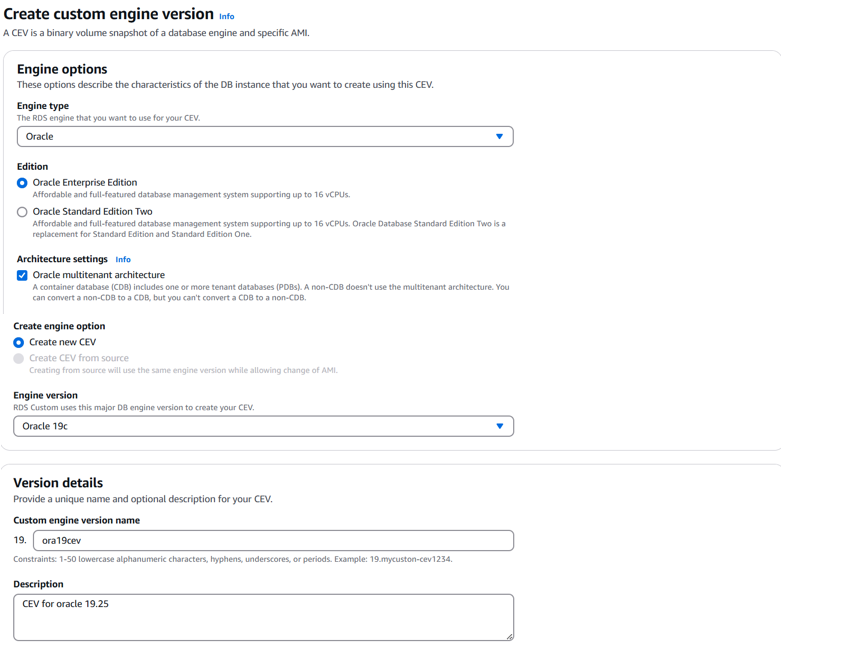
After creating CEV (Custom Engine Version) here, we can create our RDS Custom Oracle database.
Before creating the database, the environment for RDS Custom database must be set.
Detailed description here – Disclaimer: In short – get custom-vpc.json and custom-oracle-iam.json (links in the article) and then configure IAM and VPC using CloudFormation. Following resources will be created !!! Keep in mind, that endpoints created by get custom-vpc.json incur charges too, even before creating the database. In AWS Console go to RDS->Databases and click on Create database. Engine options – Oracle The rest on the page can be left as it is. If you prefer, under Additional configuration some options cam be changed (SID, DBNAME, etc.) Click on Create database button on the bottom. RDS Custom Oracle database will be created. ssm-user@ip-20-0-139-11 bin]$ sudo su – rdsdb Do not forget to delete all resources used in order to avoid extra charges ! Happy clouding!
Some steps or configurations described in this post may incur charges when using AWS services. It is your responsibility to review AWS pricing and monitor your usage. After testing, ensure that all resources are properly deleted to avoid unexpected charges. Always use the AWS Free Tier where applicable and test responsibly.
AWSRDSCustomInstanceProfile-eu-central-1
AWSRDSCustomInstanceRole-eu-central-1
DB subnet group rds-custom-private and multiple VPC endpoints needed.
!!! So if you plan to test RDS Custom for longer period and prepare the environment, you will be billed even if you have no databases.
Database management type – Amazon RDS Custom
Architecture settings – Oracle multitenant architecture
Edition – Oracle Enterprise Edition

Custom engine version – select created before 19.ora19cev
Templates – Production
DB instance identifier – here is db1

Master username – admin
Master password – to be entered twice

Instance configuration – db.m5.large (there are different instance types, db.m5.large is used for this database)
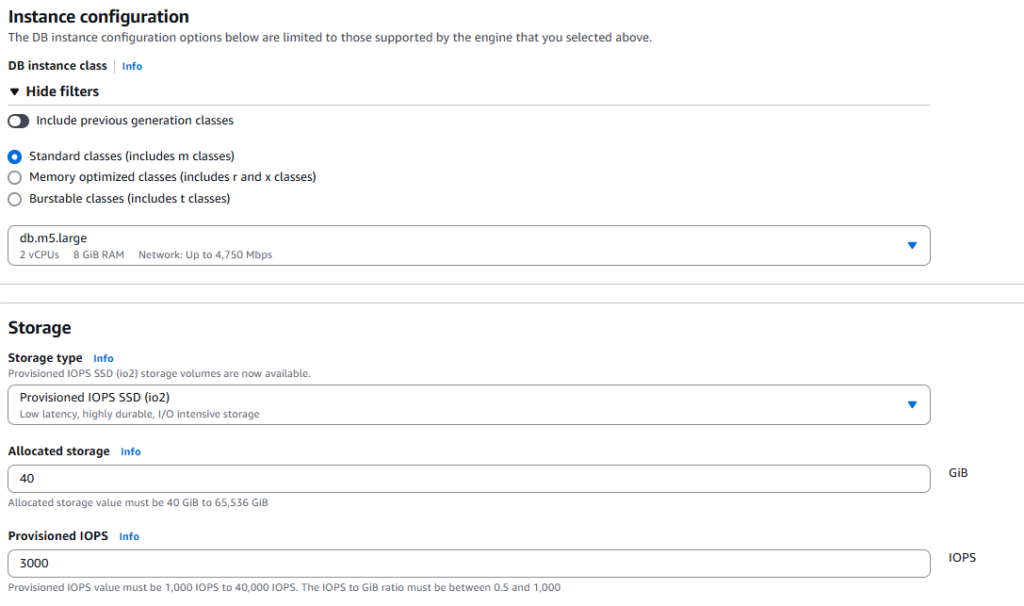
Connectivity – Don’t connect to EC2 compute resource
Virtual private cloud (VPC) – select the correct one if you have more than one
DB subnet group – rds-custom-private
Public access – No
VPC security group (firewall) – choose existing (default)
Availability zone – no preference

IAM instance profile and AWS KMS key –

You will find out the corresponding EC2 instance created too. Use Session Manager to connect and browse the installation.


When connected to the EC2 instance (Linux), sudo to rdsdb user –
[rdsdb@ip-20-0-139-11 ~]$ sqlplus / as sysdba