Disclaimer:
Some steps or configurations described in this post may incur charges when using AWS services. It is your responsibility to review AWS pricing and monitor your usage. After testing, ensure that all resources are properly deleted to avoid unexpected charges. Always use the AWS Free Tier where applicable and test responsibly.
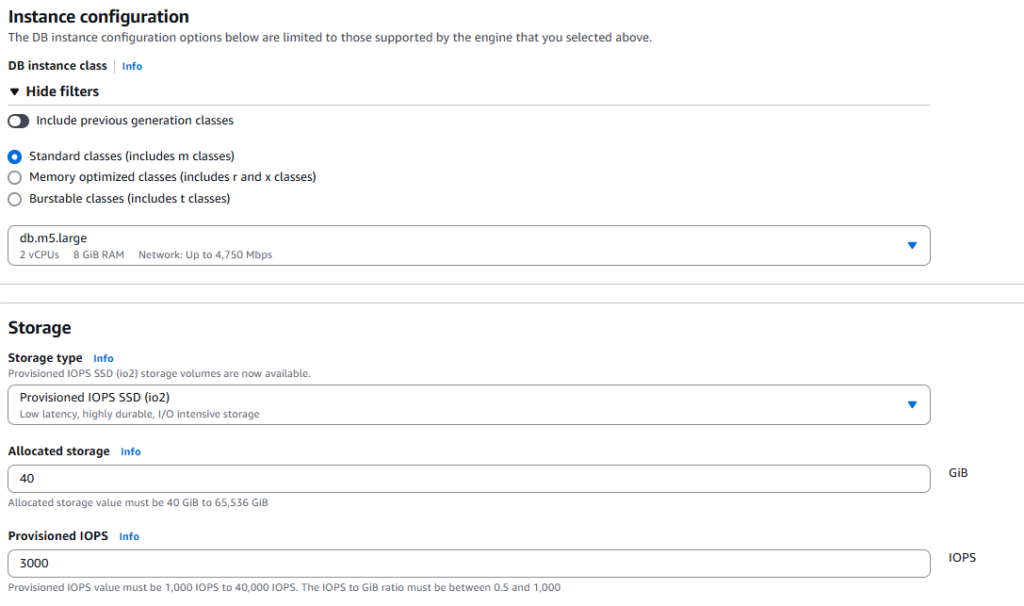
Now when we have our Oracle RDS Custom database, select the database in the AWS console (under Aurora and RDS) and from Action select ‘Create read replica’. The name for the read replica is dbstby(it is up to you of course). Under RDS Custom security-Instance profile, select AmazonRDSCustomInstanceProfile, the rest can be left as it is. The instance type is as the type of the database.
 After some time the read replica is ready.
You will find out that the corresponding EC2 instance was created too. Use Session Manager to connect to the EC2 instance for the dbstby database. Indeed, the database is mounted.
This is not really read replica. This is Data guard primary-standby configuration widely
used in Oracle world. And the standby side is not open for reading, so it is not read
replica, but Data Guard configuration.

Lets create a new pluggable database(PDB) on the primary side –

The new PDB appears immediately on the standby side.
 As said, this is just primary-standby database configuration, lets check
dgmgrl from primary side –
 What is important to note is that the port number used in StaticConnectIdentifier.
It is usually 1521, but here is 1140.
DGMGRL> show database rdscdb_a StaticConnectIdentifier
  StaticConnectIdentifier = '(DESCRIPTION=(ADDRESS=(PROTOCOL=TCP)
(PORT=1140)(HOST=x.x.x.x))(CONNECT_DATA=(SID=RDSCDB)
(SERVER=DEDICATED)))'
This is because there is a second listener(L_RDSCDB_DG, port 1140)
especially for data guard – beside the ‘usual one’ (L_RDSCDB_001) on 1521.
Note also DG connect identified -
DGMGRL> show database rdscdb_a DGConnectIdentifier
  DGConnectIdentifier = 'rds_custom_rdscdb_a'
What about is we make switcover? No problem, just connect as sys to the primary database using the alias ‘sys@rds_custom_rdscdb_a’. In tnsnames.ora can be seen that alias rds_custom_rdscdb_a
uses port 1140 – port used for DG communication.
 DG configuration looks fine –
DG configuration looks fine -
DGMGRL> show configuration

Configuration - rds_dg

  Protection Mode: MaxPerformance
  Members:
  rdscdb_b - Primary database
    rdscdb_a - Physical standby database

Fast-Start Failover:  Disabled

Configuration Status:
SUCCESS   (status updated 18 seconds ago)
Now the previous primary database is now mounted, while the previous standby is open –
can be seen in sqlplus immediately. But what about the console? If we refresh, now dbstby is primary, while db1 is Replica(standby) now.

The switcover can be done from the AWS console too - under Actions->Promote.

If we delete the primary (now dbstby), then the standby db1 will be promoted
to primary and will be open (for db1) -

SQL> show pdbs

    CON_ID CON_NAME                       OPEN MODE  RESTRICTED
---------- ------------------------------ ---------- ----------
         2 PDB$SEED                       READ ONLY  NO
         3 ORCL                           READ WRITE NO
         4 PDB1                           READ WRITE NO


If you test it, do not forget at the end to delete the rds databases
(and keep in mind, that Endpoints and CEV also generate costs even
without databases running).

Happy clouding!